01 / Your financial map
Everything you own. Everything you owe.
Bring accounts, investments, property and debts into one clear view. Keep each in its own currency and see your total in the currency you choose.
 guaca.Sign in
All the moving pieces of your money, finally together. See what you have, make room for what you love, and plan for what comes next.
Also on the webAndroid in testing

Your money does a lot of things. Guaca helps you make sense of them, without piecing together five different apps.
Bring accounts, investments, property and debts into one clear view. Keep each in its own currency and see your total in the currency you choose.
Know where your money goes, build category budgets and keep recurring bills in view.

Explore retirement scenarios, work toward savings goals and compare ways to pay down debt.

Thoughtful details for the big decisions and the everyday ones.

See your net worth, assets and debts together. A home screen that helps you understand where you stand.
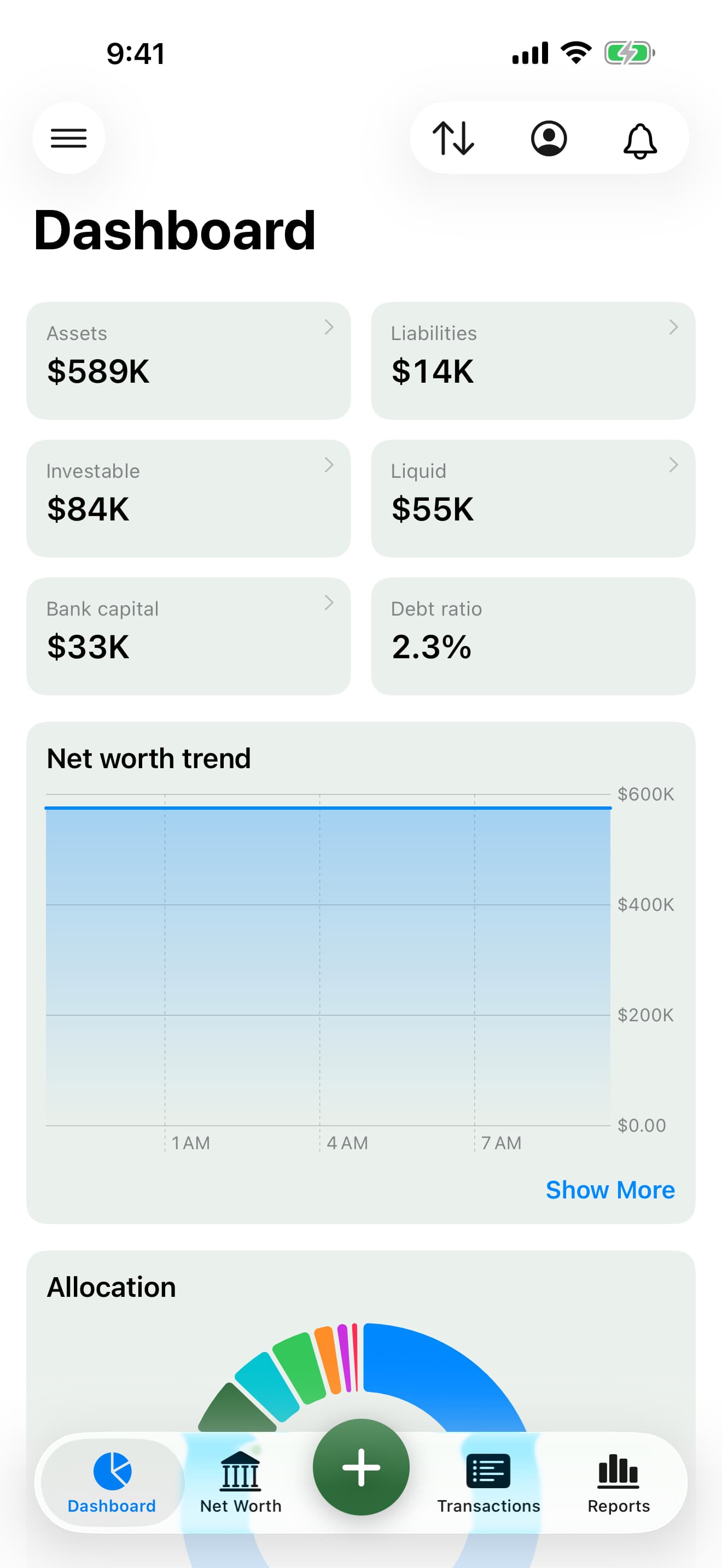
From the receipt in your pocket to your plans for retirement. The details work together, so you can see what matters.

Take a photo in the mobile app, review the amount and category, and turn a receipt into a transaction.

Forward a payment email to your capture address and review the proposed transaction before adding it.

Keep rent, salary and subscriptions together, with recurring rules and upcoming payments ready to review.

Import supported statements and transaction files in the app, then organize your movements by account and category.

Keep each account in its original currency. Choose a display currency and see your totals converted with exchange rates.

Follow stocks, ETFs, crypto and precious metals alongside your cash, property and other assets.

Bring in balances and activity from supported integrations, including Wise, PayPal, IBKR and crypto wallets.

Revisit saved snapshots to see what you owned, what you owed and how your financial picture changed.

Set a savings target and track your progress. Give each goal a purpose without moving your real account balances.

Compare snowball and avalanche strategies, adjust extra payments and explore estimated payoff dates and interest.
Adjust spending, contributions and returns. Compare scenarios and Monte Carlo simulations as your plans evolve.
Explore spending by category, income versus expenses and cash flow to understand the habits behind your numbers.

Manage your finances locally in the native apps, even offline. Guaca Pro adds cloud sync; the web companion lets you review your money and explore your plans on a bigger screen.
Features vary by device and plan. Capture, integrations, AI and cloud sync use online services. Retirement and debt projections depend on your inputs and assumptions.

Ask Guaca about your spending, your accounts or your progress. Or connect your Guaca account to ChatGPT and Claude to bring your own financial context into the conversation.
AI and connected features depend on your plan.
Explore connected AI
Accounts, investments, crypto, real estate, vehicles and debts, plus income, expenses, budgets and recurring payments. You can also explore savings goals, debt payoff and retirement scenarios.
Yes. Keep accounts and transactions in their original currencies, then choose a display currency to see everything together. Guaca uses exchange rates to convert the totals.
On the web, and now on the App Store for iPhone, iPad and Mac. The Android app is being tested and its public availability will be announced when it launches.
No. You can add accounts and transactions manually or import statements. Optional integrations can help keep supported accounts and holdings up to date.
Yes. Connect your Guaca account from a supported AI client. You choose what to ask; the connection gives the assistant access to your financial context. See the connected AI guide for setup and supported actions.
Meet your money where it is. Take it where you want to go.
Start your guaca